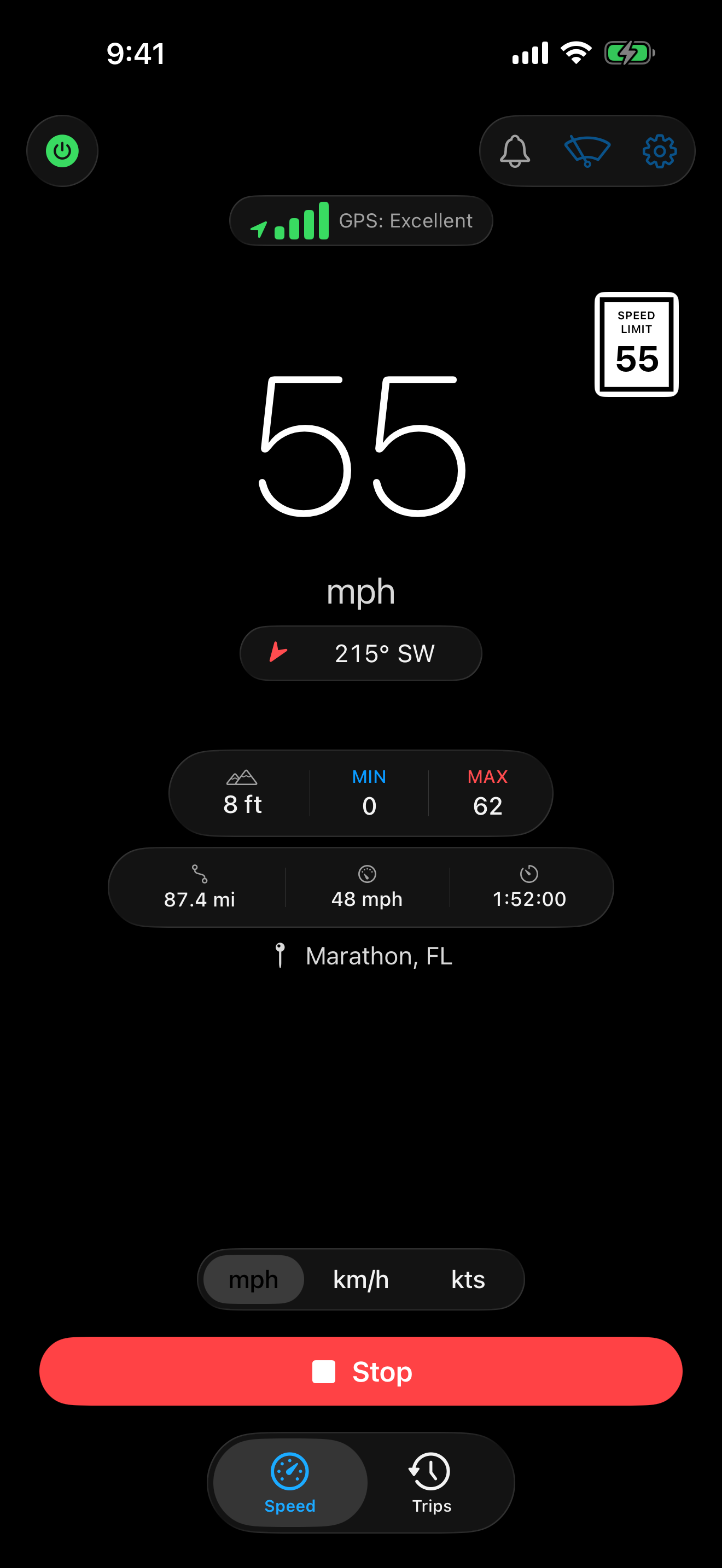
A GPS speedometer for iPhone — your speed clearly and honestly, with the instruments around it, and now the posted limit right on the gauge. No ads, no tracking, no account; works offline.
The posted speed limit, right on the gauge. Trip history with route maps and charts. Two display modes, one tap apart. A live compass, barometer-fused altitude, and a Lock Screen Live Activity that doesn't quit when you pocket your phone.
Speed limits Pro
The posted limit sits right beside the speedometer, and Velocita alerts you automatically the moment you drift over — nothing to set up. Limits are matched entirely on your phone from offline OpenStreetMap-based data packs, so it works with no signal and your location never leaves the device. A solid sign is a posted limit; a dashed sign is estimated from local defaults.
Trip history Pro
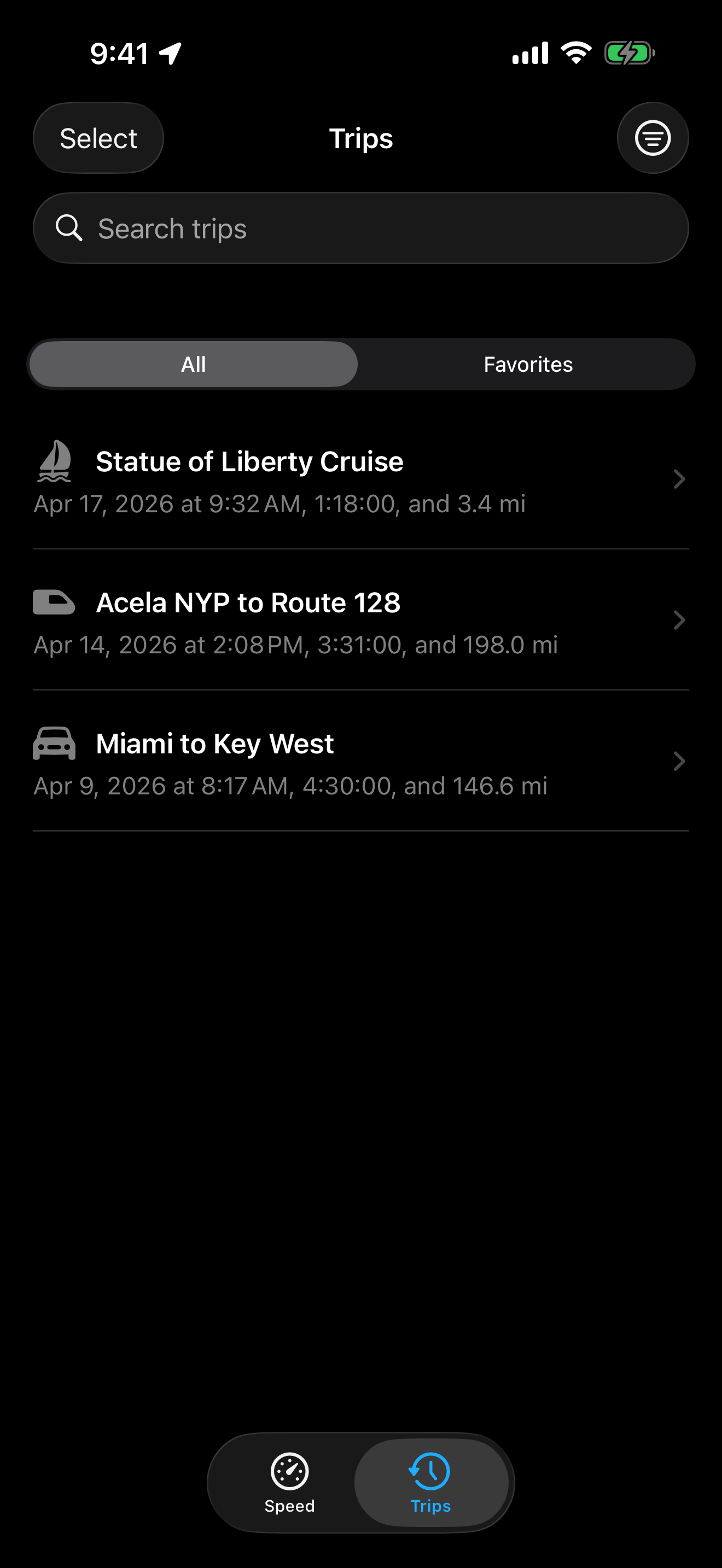
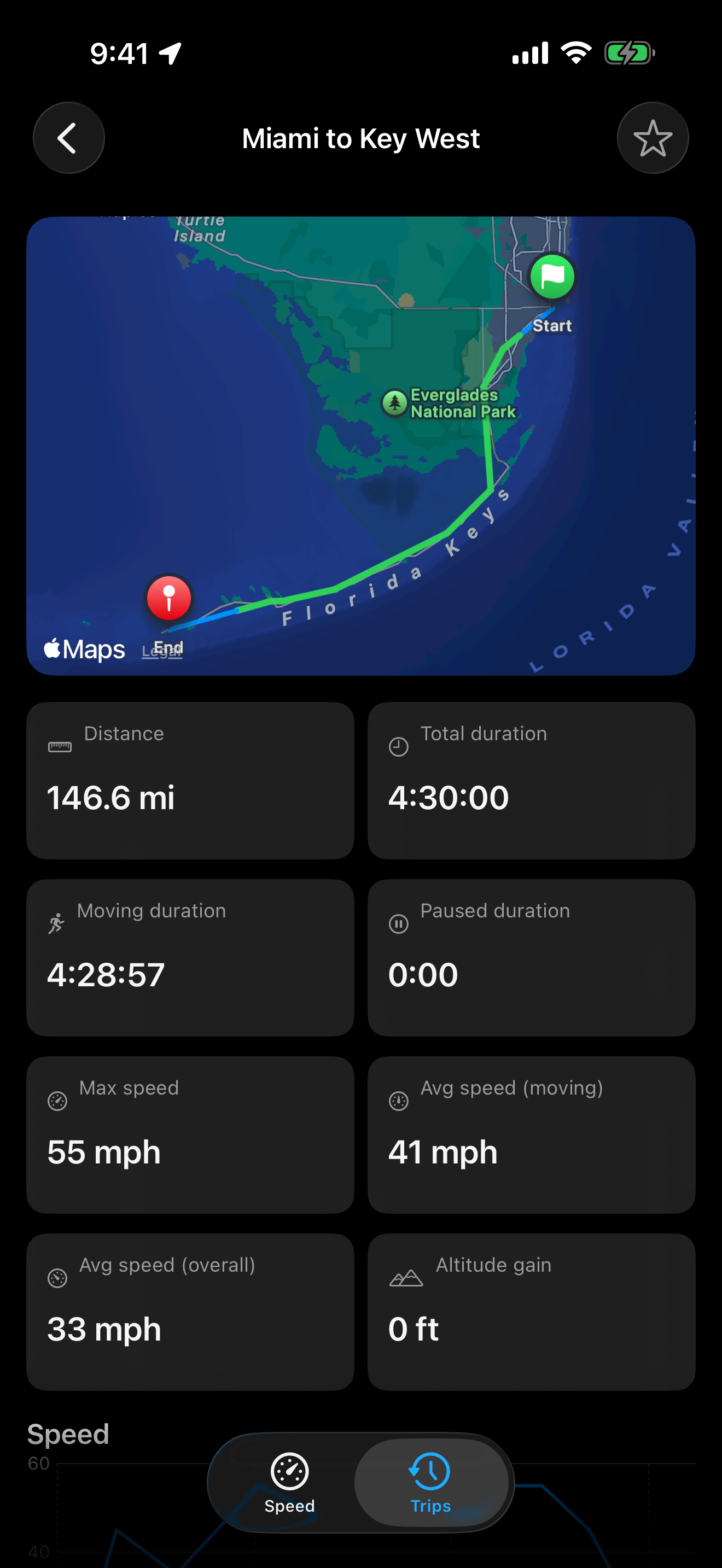
Save every drive, ride, cruise, or train. Each trip becomes a route map with speed-bucket coloring, speed and elevation charts, pause segments, notes, and titles — searchable, categorisable, and exportable to GPX or CSV.
Live Activity Pro
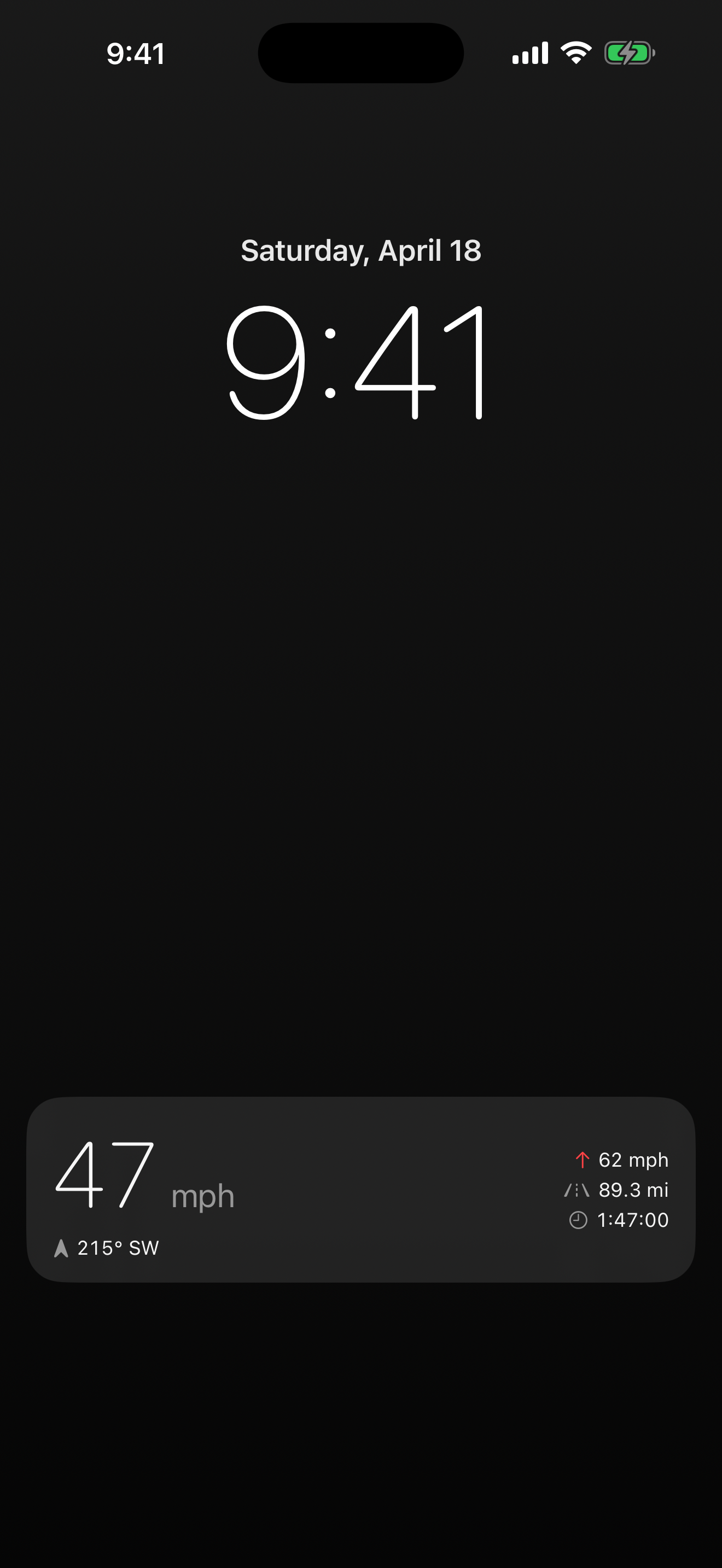
Start a trip and lock your phone. Velocita keeps running on the Lock Screen and in the Dynamic Island — speed, bearing, max, distance, and elapsed time.
Analog gauge Pro
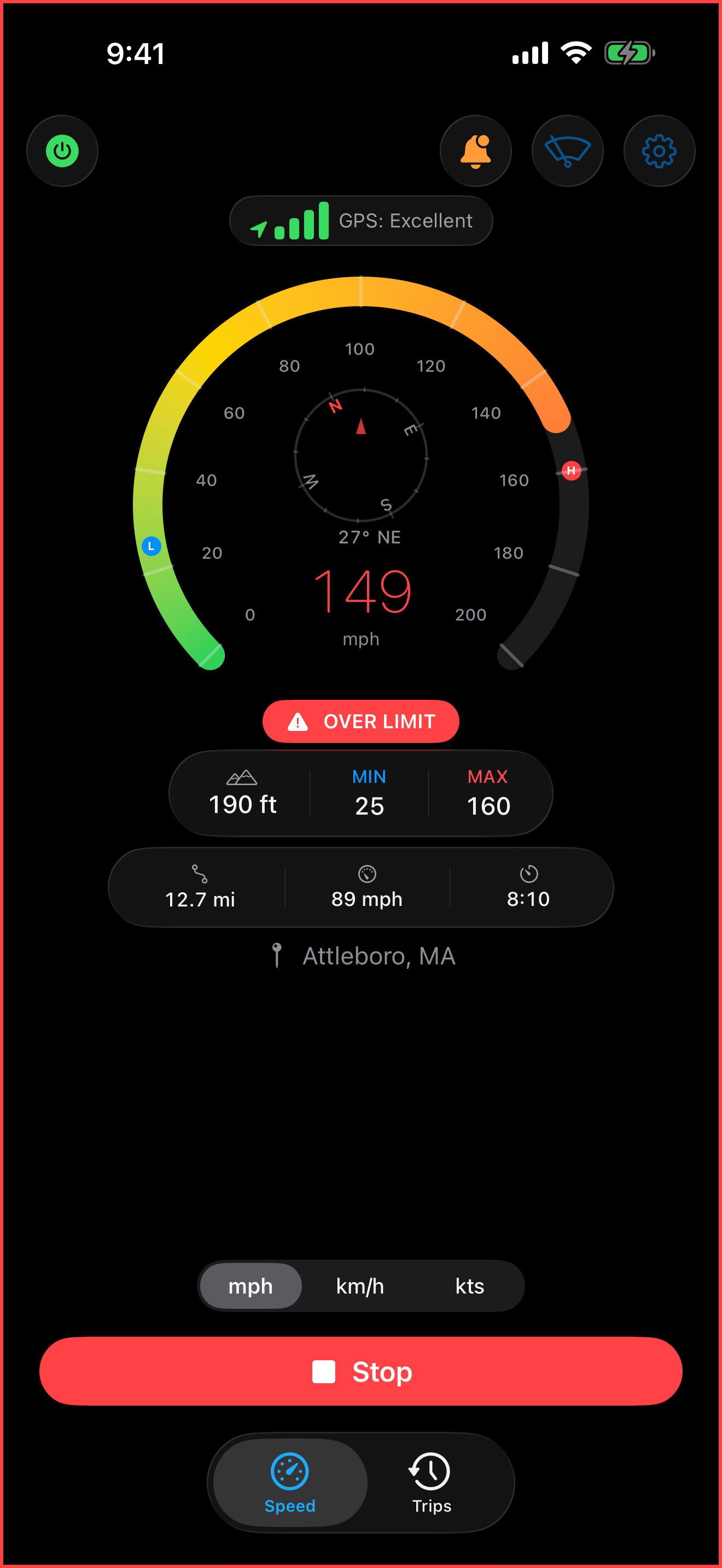
A full analog speedometer with a live compass ring, min/max markers, and tick marks that auto-scale as you go faster. Tap the numeric speed to switch in.
Windshield HUD Pro
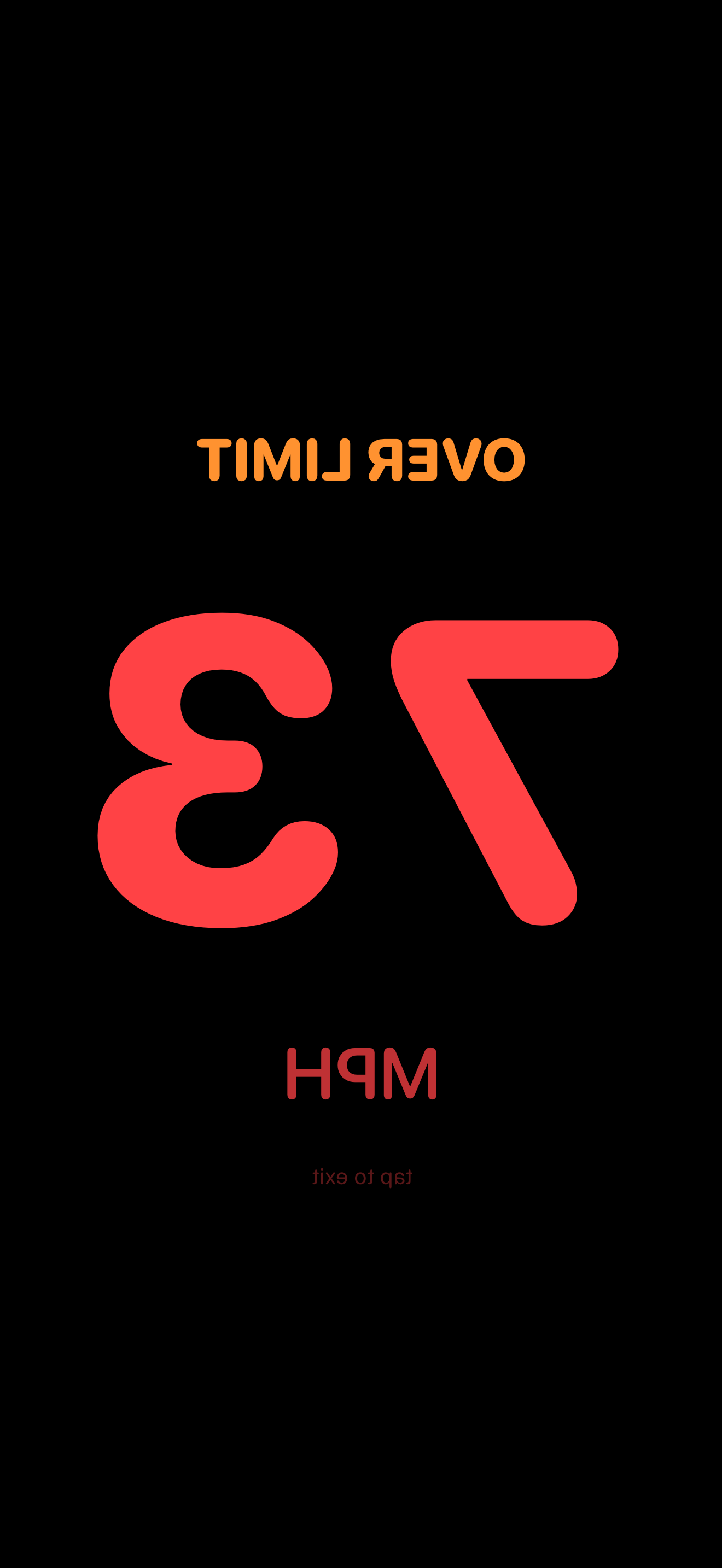
Phone face-up on the dashboard; speed reflects off the windshield, right-way-round. Red-on-black at night preserves dark-adapted vision.
Speed you can trust
Asymmetric smoothing responds fast to acceleration but snaps to zero the instant you stop. Poor GPS is dimmed with a ~ prefix.
Barometer altitude
Altitude accurate to about one meter, fused from the barometer and GPS — far more stable than GPS-only readings that drift by 10–30 meters.
Live compass
Direction of travel from GPS course when you're moving; magnetometer when you're stationary. The gauge view embeds a rotating compass ring with degrees and cardinals.
Custom speed alert Pro
Set your own threshold, independent of posted limits — Velocita flashes a red border and delivers a haptic buzz when you cross it. Optional haptic ticks every 10 mph or km/h, too.
mph · km/h · knots
Speed in any unit. Distance in miles, kilometers, or nautical miles. Altitude in feet or meters. Defaults follow your locale; switch any time.
Speed limits · Pro
Knows the limit.
Velocita shows the posted speed limit of the road you're on, right beside the speedometer — and warns you automatically the moment you drift over. No threshold to set, nothing to configure.
Limit data for your area downloads on your first drive and is matched entirely on your phone, fully offline; your position never leaves the device to look one up. A solid sign is a posted limit, a dashed sign is estimated from local statutory defaults, and regions with thin coverage are marked Beta.
Record a trip and Velocita keeps the route — colored by speed, with pause segments left visible — and pairs it with speed-over-time and elevation charts drawn straight from the recording. Add a title, a note, a category, mark a favorite.
Search, filter, sort, export to GPX or CSV when you want the data elsewhere. Recordings live on your phone as plain files; nothing is uploaded anywhere.
On the Lock Screen
Glance, don't unlock.
Start a trip and lock your phone. Velocita keeps running — current speed, bearing, max reached, distance, and elapsed time — on the Lock Screen and inside the Dynamic Island.
The Live Activity is driven by a dedicated timer inside the tracking engine, not SwiftUI refresh, so updates keep flowing while the device is locked or Always-On Display is active.
Signal integrity
Honest readings, always.
GPS is noisy. Velocita uses asymmetric smoothing that responds to acceleration immediately but doesn't linger at 1 mph when you've stopped. A Core Motion stationary detector snaps the display to zero as soon as your device's motion classifier confirms you aren't moving.
Under poor GPS the reading is dimmed and prefixed with ~. Minimum, maximum, and average speeds are only recorded when signal quality is good enough. No phantom speeds on a parked car.
Windshield HUD
Eyes on the road.
Place your iPhone face-up on the dashboard. The HUD renders big numerics mirrored, so the reflection in your windshield reads right-way-round — a heads-up speedometer without the hardware.
Bright white by day for readability against sunlight. Red-on-black at night, so the glow doesn't kill your dark-adapted vision. Cross your speed threshold and a single haptic confirms it; the display itself stays calm — flashing a red reflection across your windshield would be worse than the problem.
How it works
Signal, refined.
Every reading passes through a pipeline tuned for honesty — fast to react, quick to settle, quiet when it should be.
Speed pipeline
Tracks up fast, settles fast.
GPS smoothing alone keeps the needle elevated for 20+ seconds after you actually stop. Velocita uses asymmetric smoothing — a faster decay than ramp-up — plus two independent stop detectors: a GPS fast-zero when two consecutive readings drop to the noise floor, and a Core Motion stationary check that snaps to zero the moment the accelerometer and gyro classifier confirms the device isn't moving.
Altitude fusion
Steadier than GPS alone.
Raw GPS altitude drifts by 10–30 meters, even with a clear sky. Velocita reads the iPhone's built-in barometer and fuses it with GPS for altitude accurate to about one meter — with transparent fallback on devices without a barometer.
Private by design
Your trip doesn't leave your phone.
Velocita computes everything on-device. Location, speed, heading, altitude, and trip recordings are yours — they live on your phone and are never sent to us. The only off-device calls are Apple's reverse geocoding (for the city name on screen), speed-limit data packs downloaded from Apple's servers (your position is never part of the request), and anonymous, aggregate usage signals via TelemetryDeck — never raw values, never anything that could identify you.
The base app is free — numeric speed, trip stats, compass, altitude, units, background tracking. Velocita Pro unlocks offline speed limits, trip history, the gauge, the windshield HUD, speed alerts, haptic ticks, and the Live Activity. It's a single one-time purchase — no subscription — and it's shared with your Family Sharing group at no extra cost.
Drive, cycle, sail, ride.
Velocita is available on the App Store for iPhone.